Everything you need to manage your network. Nothing that compromises your privacy.
Most CRMs are built for sales teams to track pipeline. NexxusCRM is for you, someone who's realised that keeping up with the right people matters more than almost anything else in your career, and that you probably shouldn't be storing all of that in a SaaS product you don't control.
01
Contacts
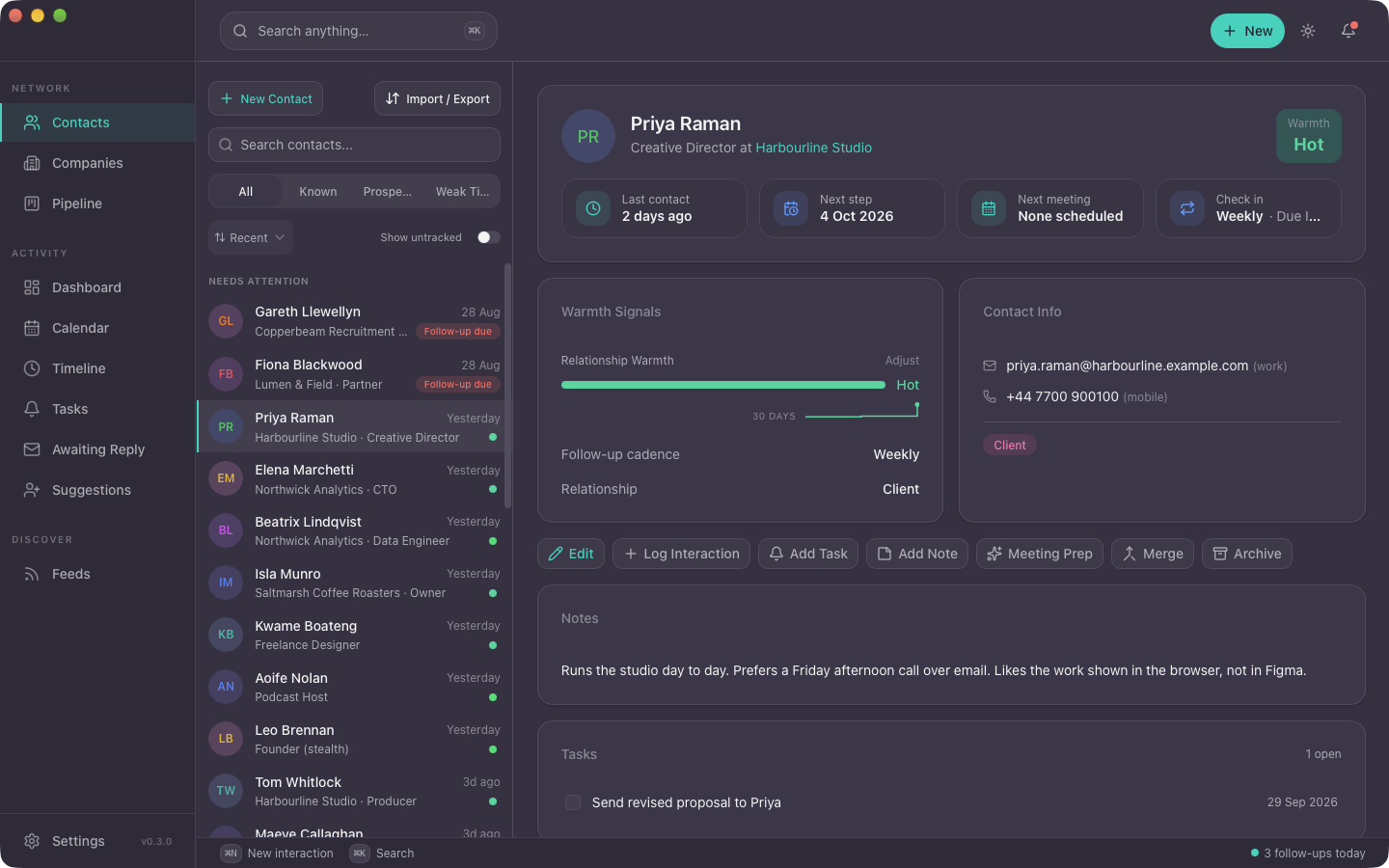
Everyone in your professional network in one place: colleagues, clients, leads, mentors, recruiters, the person you met at that conference two years ago. Crucially, you can see the full history of a relationship at a glance, not just a name and a phone number.
- Multiple emails, phones, social links per contact, no arbitrary limits
- Full interaction history on every contact page
- Warmth scores so you can see which relationships are drifting before they're gone
- Import from vCard, export to vCard or JSON whenever you want
- Contact merge with field-level conflict resolution. Deduplication that actually works
02
Companies
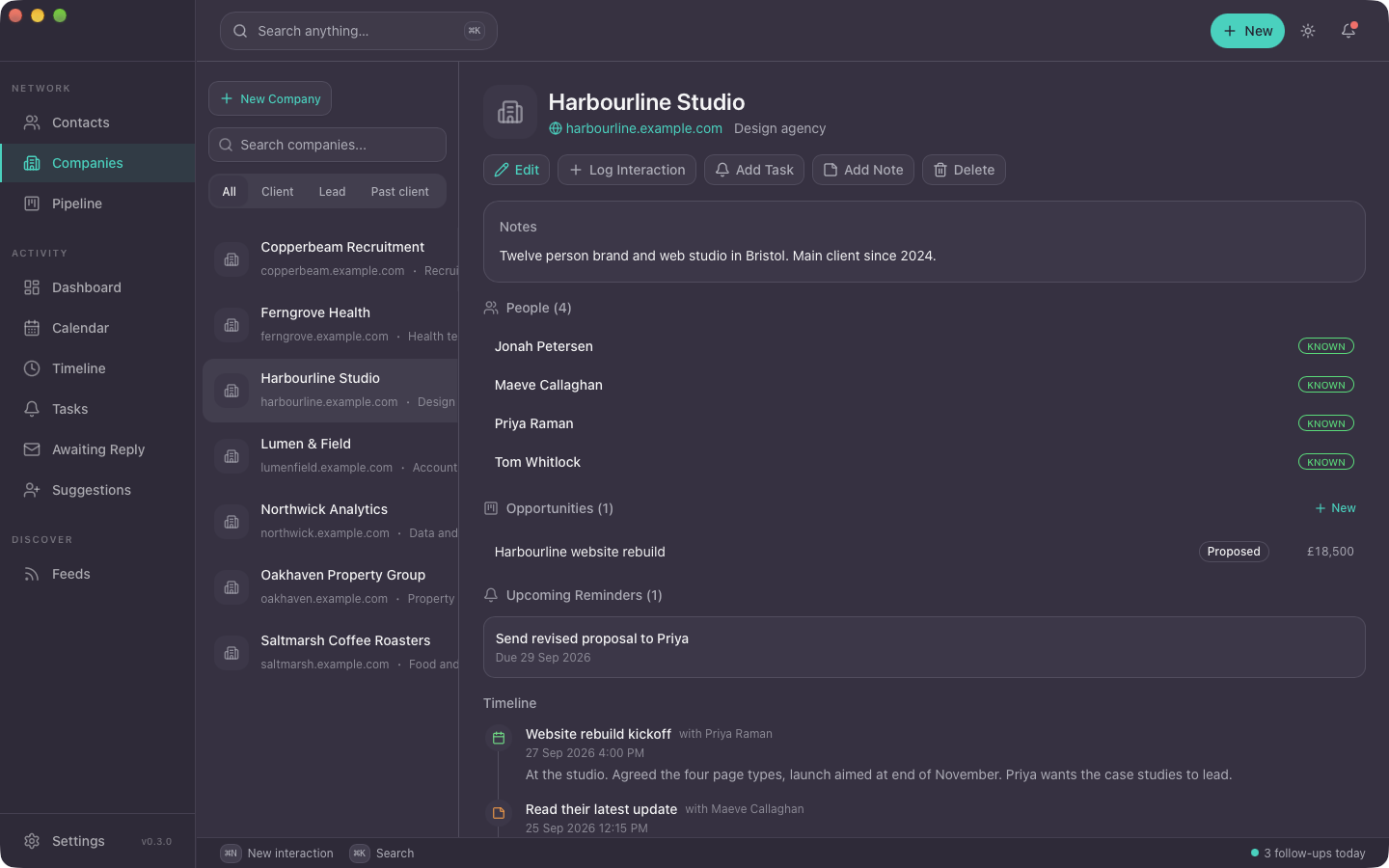
Companies get their own pages, not just a text field on a contact record. If you're targeting a company, keeping tabs on one, or just want to see all the people you know at a place in one view, it's all here.
- Full company profiles with notes, tags, and a running activity log
- See every contact you have at a company in one view
- Job posts, news, and feed items linked directly to a company
- When someone moves jobs, their company association updates, so your network map stays current
03
Feed Reader
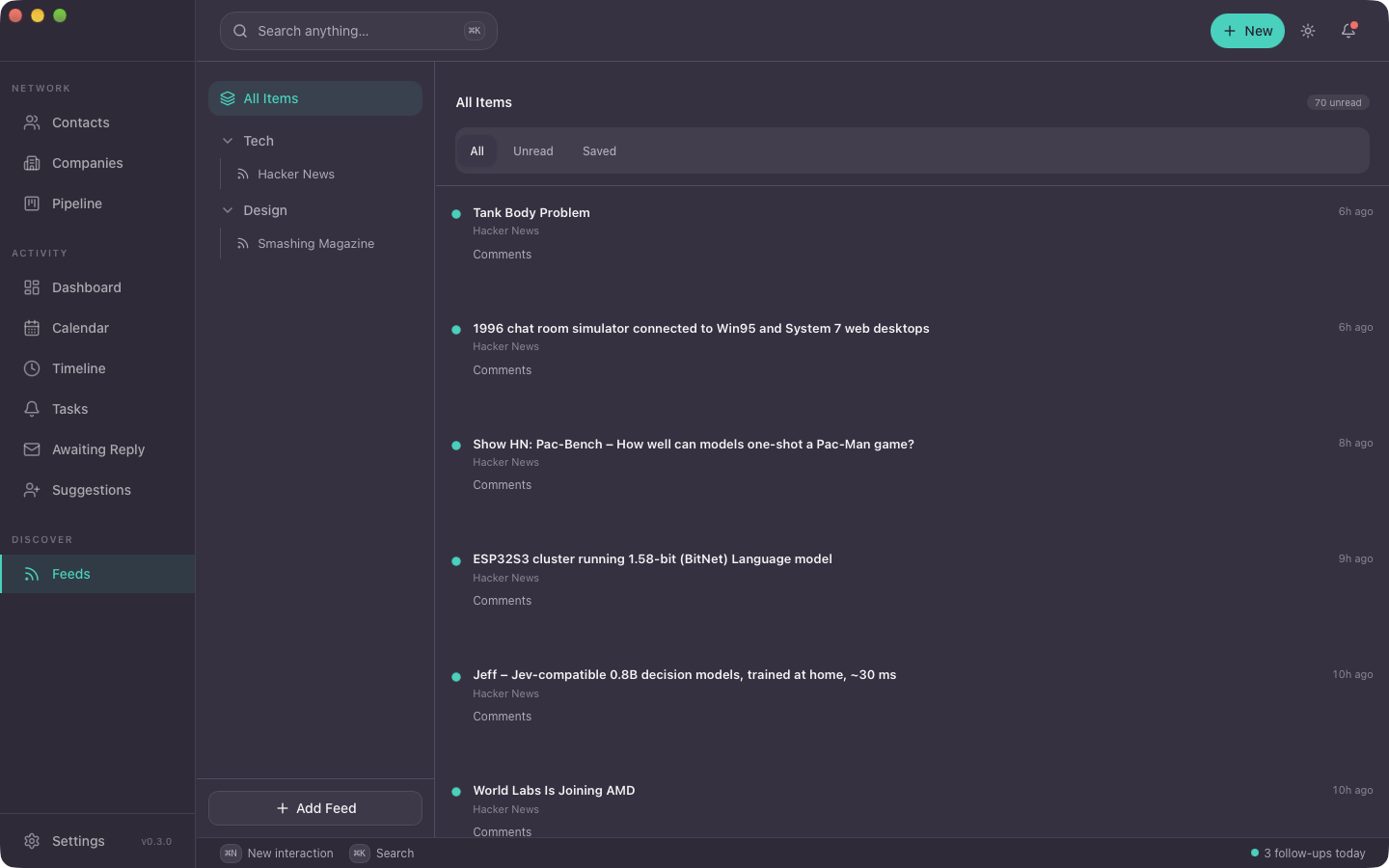
There's a feed reader built in, but it's not a general-purpose one. Everything is wired to your contact graph. A job posting at a company where you know three people looks different from a random listing. NexxusCRM knows the difference and surfaces it accordingly.
- RSS, Atom, Reddit, job boards, GitHub releases, Hacker News. Subscribe to anything
- Items scored for relevance against your skills and network, so the good stuff rises
- One-line AI summaries on every item. Read 50 posts in a few minutes
- Link any feed item directly to a contact or company
- Job post parsing: pulls out title, company, location, salary, and tech stack automatically
Email accounts
Sync modes
04
Email Integration
A lot of your professional relationships essentially live in your inbox. NexxusCRM can connect to your email (on your device, not through a cloud sync) and use it to fill in your contact timelines automatically. You pick how much access to give it.
- iCloud Mail, Gmail, Fastmail, Proton (via Bridge), or any IMAP provider
- Awaiting reply: see which of your sent emails are still waiting on an answer, and reply from inside the app
- Metadata mode: just timestamps and frequency. Warmth scoring without storing any content
- Full mode: emails synced locally into your encrypted database, fully searchable
- Full email thread history visible on each contact's page
- Works offline. Sync happens locally, no middleman
05
Calendar
Meetings are the interactions that matter most, and the ones nobody logs. NexxusCRM reads your calendar on your device and turns each meeting into an interaction with the people who were in it.
- iCloud calendars, read-only, synced locally
- Meetings become interactions on every attendee's timeline, so "last spoke to" is right without you typing anything
- Meeting prep, written by the on-device AI before every meeting in the next 24 hours
- Reminders stay quiet when you already have a meeting with someone in the next week
Tomorrow
Prep ready: last spoke 5 days ago, revised proposal sent, she prefers morning meetings.
Prep ready: moved to Scale Ventures last month, no contact in 34 days.
06
AI Layer
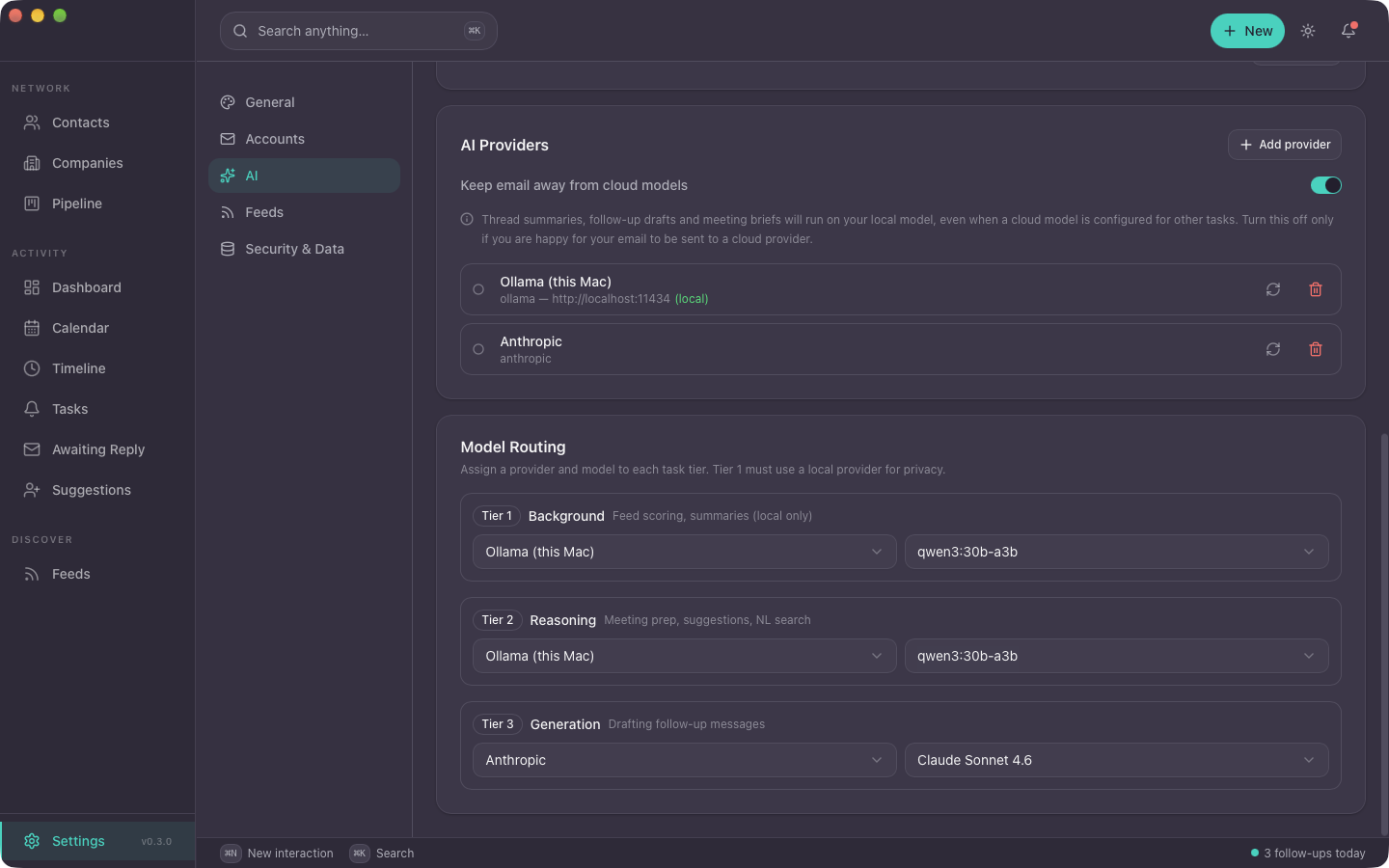
AI runs locally via Ollama: no API keys, no subscription, nothing sent anywhere. Small models handle the routine stuff like summaries and scoring. Bigger local models handle queries and reasoning. Cloud models are available if you want them, but you have to turn them on.
- Feed items scored for relevance based on your skills and who you know
- One-line summaries on every feed item
- Nudges when relationships need attention: "You haven't spoken to X in 90 days, and they just changed jobs"
- Natural language queries against your contacts: "Who do I know at fintech companies in London?"
- Pre-call summaries: your full history with someone, condensed before you pick up the phone
- Draft follow-up messages using your actual interaction history as context
07
Interaction Timeline
Every call, email, meeting, and note, in one place per contact. Most of it populates automatically from your connected sources. The rest you log yourself in a few seconds.
- Log calls, meetings, and notes manually in a few seconds
- Auto-populated from your email and calendar
- Filter by interaction type, date, or contact
- One interaction can span multiple contacts. Log a group meeting once
Timeline · Sarah Chen
Discussed Q2 project scope and timeline
via Manual
Re: Proposal follow-up, sent revised scope
via Gmail
Coffee catch-up, talked about new design system
via Manual
Design review, 45 minutes
via iCloud Calendar
Prefers async comms, morning meetings only
via Manual
08
Reminders & Keep-in-Touch
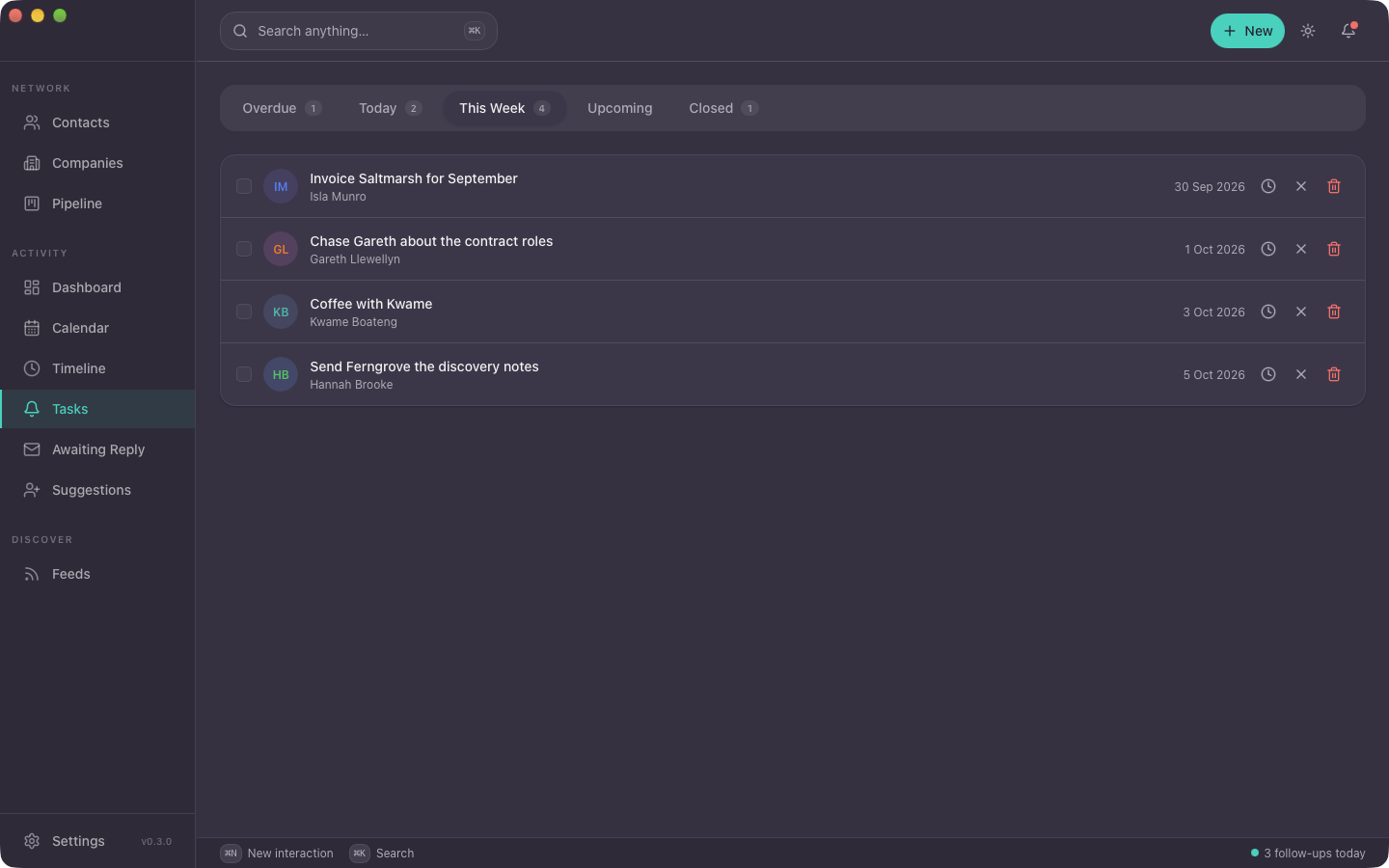
This is the one that actually matters for most people. Every morning you get a short list of who to reach out to today, based on the cadences you've set and how long it's been. No notification spam. Just a list you can work through.
- Set a follow-up cadence per contact and stop thinking about it
- Nudges when you've gone quiet: "You haven't spoken to X in 45 days"
- Morning digest: a manageable list, not a wall of overdue tasks
- Snooze and reschedule without losing the thread
- Calendar-aware: if you already have a meeting with someone in the next week, the reminder stays quiet
- The dashboard also shows who is going cold, who is warming up, and who is new since your last visit
- Native macOS notifications
09
Search
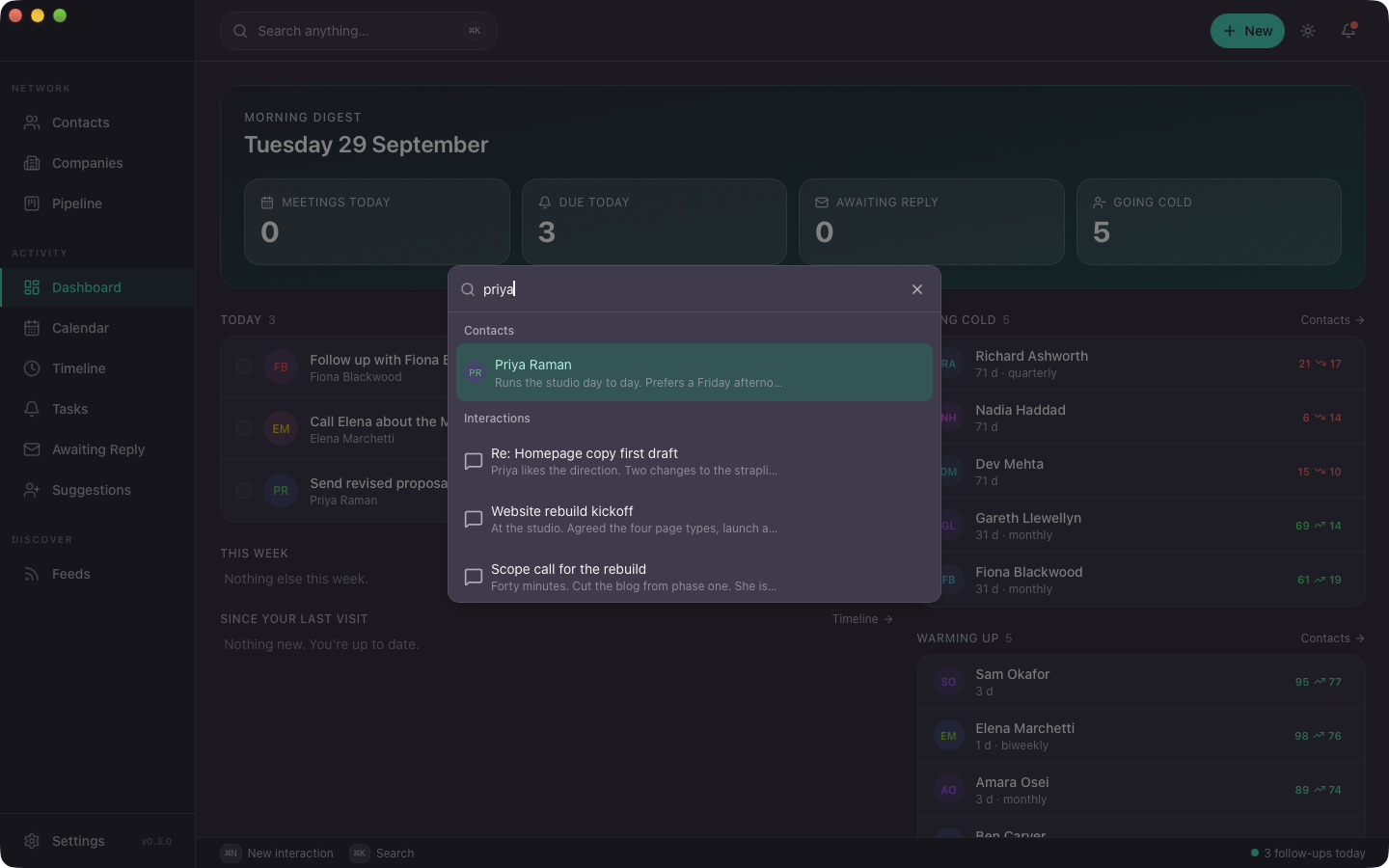
Cmd+K. Type anything. Contacts, notes, job posts, interactions. It finds them, fast.
10
LinkedIn Integration
Pull your LinkedIn network into NexxusCRM via the browser extension. Contacts, job changes, company updates, synced locally. LinkedIn doesn't need to know you're doing this.
- Import your LinkedIn connections via browser extension
- Get notified when contacts change jobs or companies
- Match LinkedIn profiles to existing contacts automatically
- Enrich contact records with LinkedIn data where fields are missing
LinkedIn sync
Sarah Chen changed roles
Now "Co-Founder" at Reciprocal Studio (was "Lead Designer")
Marcus Weber moved companies
Now at "Scale Ventures" (was "Weber Consulting")
3 new contacts imported
From recent LinkedIn connections, matched to existing records
11
Pipeline
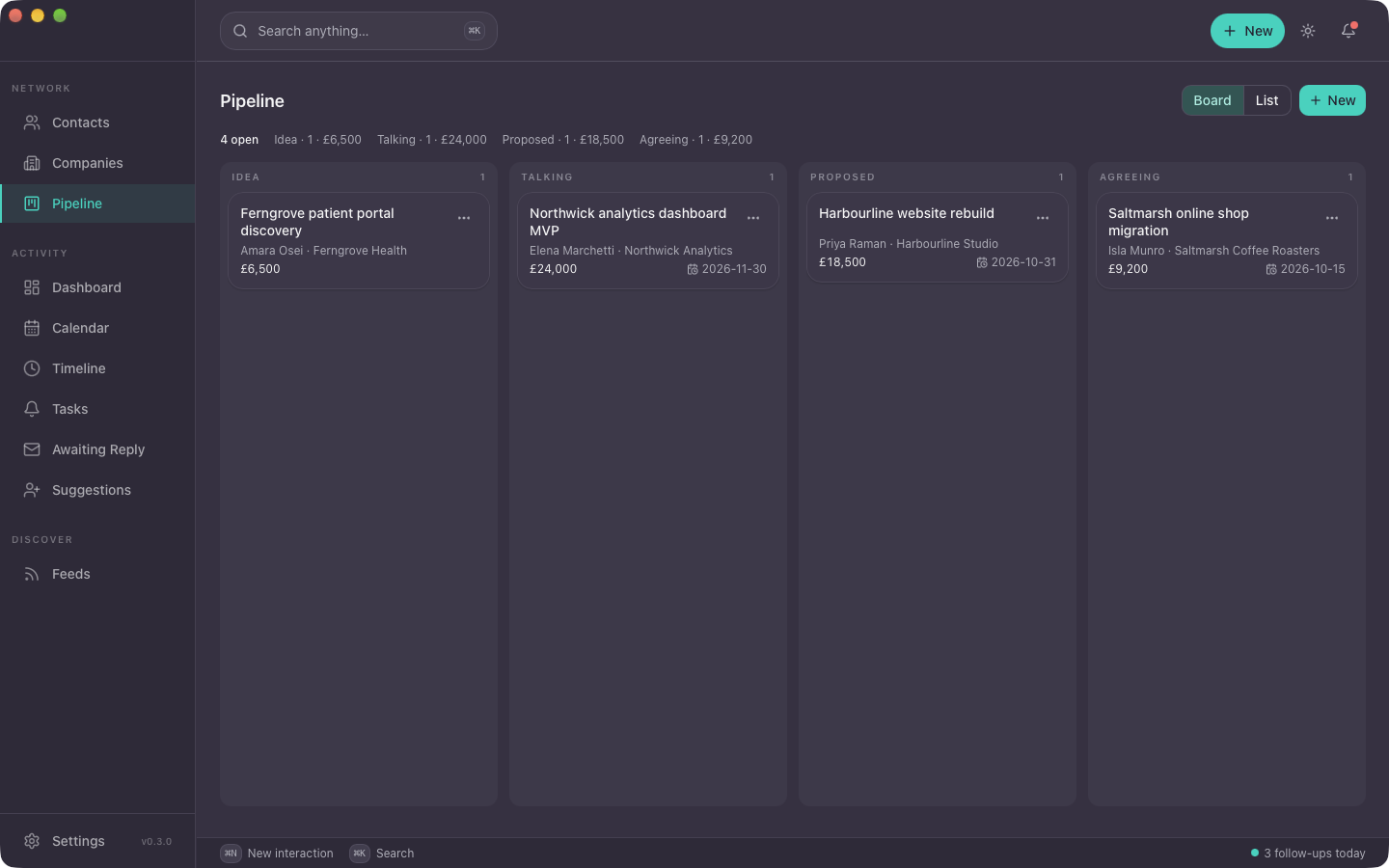
A simple pipeline for the handful of opportunities you are working on at once. Stages you name, opportunities linked to the contact and company, and nothing a sales team would need.
- Stages, not forecasts. No quotas, no line items, no automation
- Every opportunity sits on the contact's and company's timeline
- Built for one person running their own work, not a team with targets
12
Things 3
If you already run your day from Things, NexxusCRM meets you there. Follow-ups sync both ways, so you never keep two lists.
- A follow-up in NexxusCRM becomes a to-do in Things, with a link back to the contact
- Tick it off in either place and both update
- Runs through Things' own macOS scripting, on your Mac. Nothing goes through a server
Things · Today
Follow up with Marcus Weber
From NexxusCRM · monthly cadence
Send Tom the Tauri article
Done in Things · logged on Tom's timeline
Coming from another app?
Honest comparisons, including where the other one is the better choice.
NexxusCRM and Monica
Open source and self hostable, against local and encrypted.
Read the comparison →
NexxusCRM and Clay, now Mesh
Contacts gathered from everywhere, on someone else's servers.
Read the comparison →
NexxusCRM and Dex and Folk
Per seat cloud CRMs, for a team of one.
Read the comparison →
Fifty beta seats, October 2026
Everything on this page is in build one. The first 50 shape the roadmap and never pay more than the launch price. The full beta details.